 etke.cc
Honoroit bot
made by etke.cc
The Honoroit bot installed by us is powered by honoroit.
This page shows you how to set up Honoroit. Any Matrix client works; the screenshots below are just an example.
Overview
Honoroit is a helpdesk bot for Matrix, built by etke.cc. Think of it as the chat-support widget you’d see on a website (like Intercom or Jivosite), except it lives entirely inside Matrix, with no web app and no third party in the middle.
Your users message one bot; you and your team handle every conversation from a single room, each one kept neatly in its own thread.
Features
Threaded conversations
Users DM the bot, and their messages land in a dedicated room, each one in its own thread. Your whole team can jump in without tripping over each other.
Request workflow
Mark a request done with
!ho done. Honoroit renames the thread, notifies the user, and gracefully leaves their room with a closing notice.End-to-end encryption
Fully encrypted. Even we can’t read your conversations.
Chat-based configuration
Configure Honoroit straight from chat, so operators can adjust settings on the fly.
Usage
To use the bot, start a chat with @honoroit:your-server.com. You can also add the bot to any existing Matrix room by inviting it to the room (/invite @honoroit:your-server.com).
Make sure to replace your-server.com with your actual “base domain”. Setting your-server.com or example.com does not work on your server!
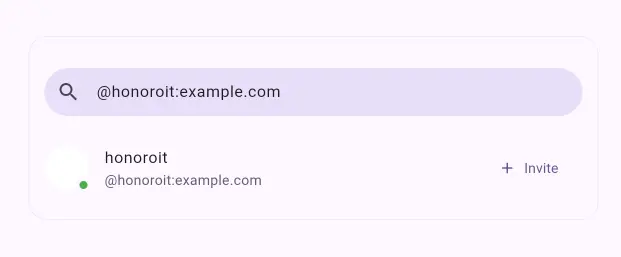
After the bot joins the room and a user sends a message, you’ll receive a copy of it in the operators’ room.
Reply by threading your response to the transferred message, as shown below.
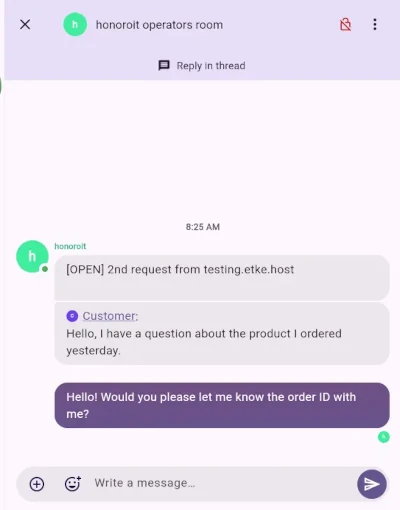
The bot automatically greets the user as soon as they message the room, and then relays your threaded replies back to them on your behalf.
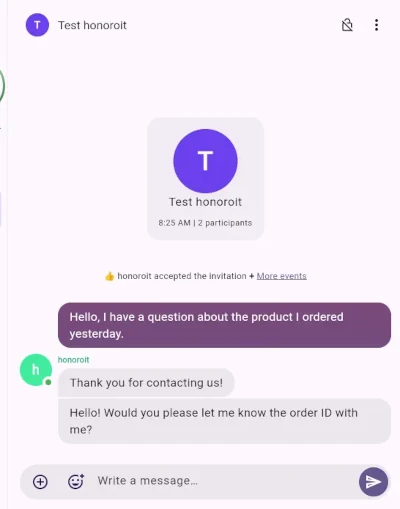
Every conversation stays in its own thread, so you won’t lose track of who asked what.
Available Commands in Threads
!ho done: Close the current request, mark it as done, and notify the customer. The bot will gracefully leave the 1:1 chat with the customer.!ho rename TXT: Rename the thread topic title.!ho note NOTE: Keep private notes in the thread (the customer won’t see them).!ho invite: Invite yourself into the customer’s 1:1 room.!ho start MXID: Start a conversation with a Matrix ID from the Honoroit bot.!ho count MXID: Count a request from a Matrix ID without creating a room or inviting them.!ho config: View all configuration options.!ho config KEY: View a specific configuration option and its current value.!ho config KEY VALUE: Update the value of a specific configuration option.
Power up with Honoroit
Start using Honoroit today - get a managed Matrix server with it pre-installed, or add it to your existing setup.