 etke.cc
etke.cc uses the Ko-Fi payment and subscription management platform, which itself uses PayPal and Stripe for payment processing. At the moment, we don’t support any other subscription or payment options.
Ko-Fi works well, but a few corners of it aren’t exactly obvious. So here’s how to handle the common payment scenarios, step by step.
How to Become a Subscriber
To access etke.cc’s services and manage your subscription later (to update its price, to fix it if payments are failing, or to cancel it), you’ll need to set up a subscription with recurring payments on Ko-Fi. For this reason:
it is recommended that you sign up for Ko-Fi now (before paying for your etke.cc order), so that the subscription will be automatically associated with your account at Ko-Fi.
⚠️ When signing up for Ko-Fi, make sure to use the same email address as you provided when placing the order at us. If you submit another email address, our system won’t be able to automatically match it to the order, so you would need to contact us about it.
alternatively, you can create an account at Ko-Fi later, after becoming our subscriber and paying for an order without the account. However, please make sure to sign up with the same email address as you have provided for your subscription (see below).
To become an etke.cc subscriber, follow the steps below:
Sign into your Ko-Fi account, if you have one already. You can also become a subscriber without a Ko-Fi account, as mentioned above.
Visit the etke.cc membership page on Ko-Fi.
Select the By Complexity tier.
Enter the following details:
- Pay what you want: Input the total price based on the components you have ordered.
- Email address: This field only appears when ordering without a Ko-Fi account. Please make sure to use the same email address you provided when placing the order with us.
- Your name or nickname: (optional) Use any name you wish.
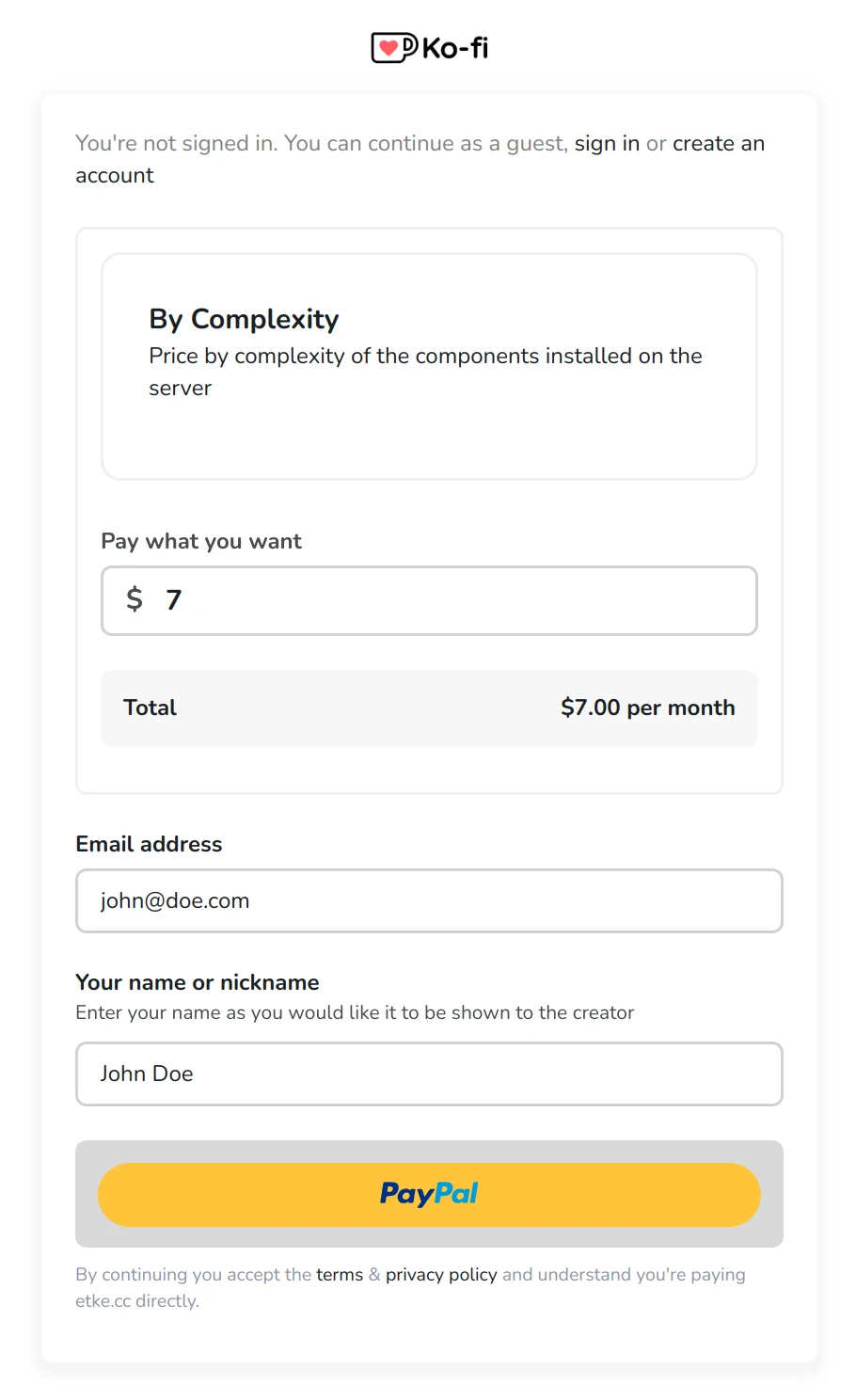
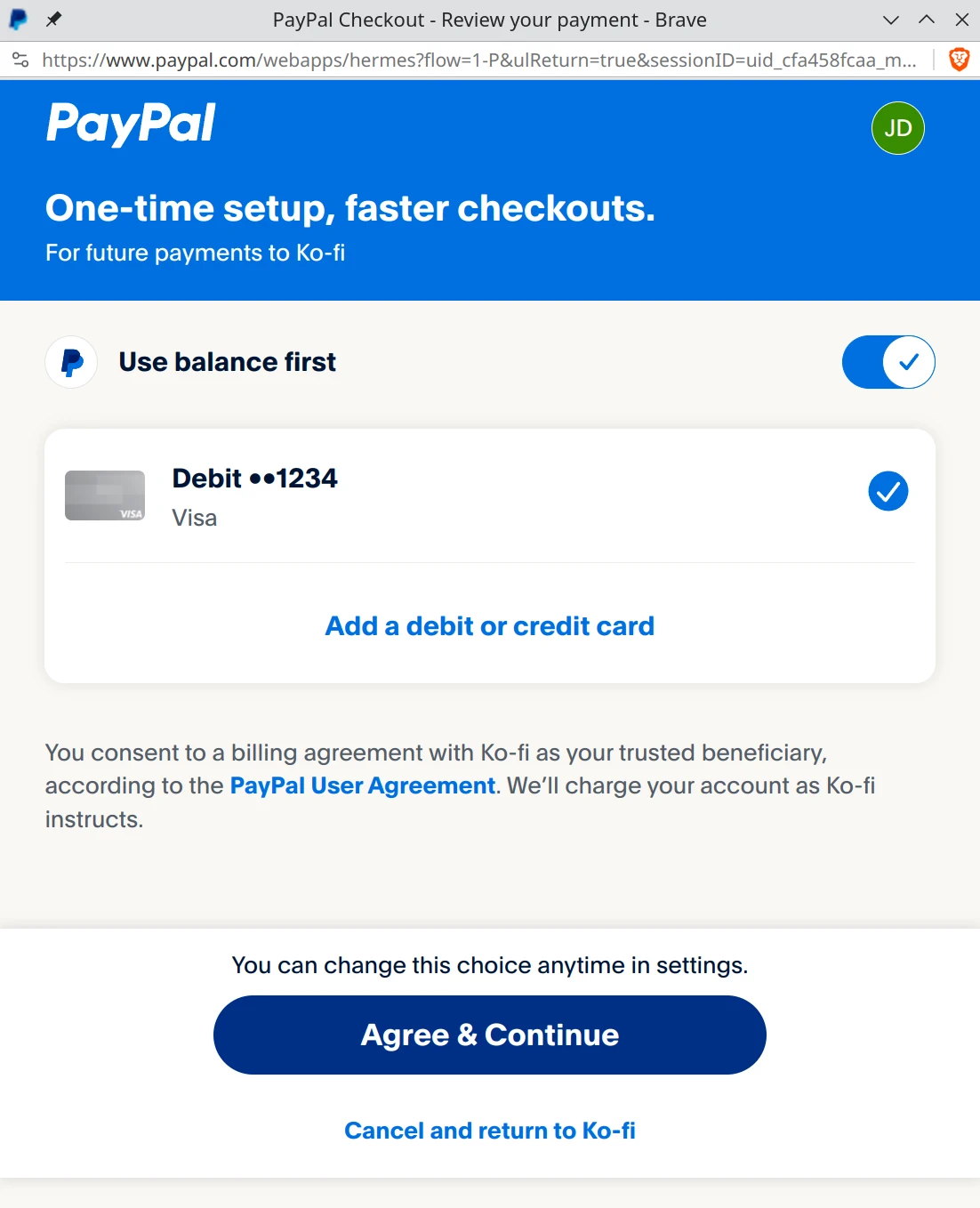
Press the Pay button to proceed to checkout. You may see PayPal and/or Stripe as options, depending on your region and Ko‑Fi availability.
Select your preferred payment method or add a new one and click on Agree & Continue.
If the payment is successful, you’ll be redirected to the payment confirmation page on Ko-Fi.
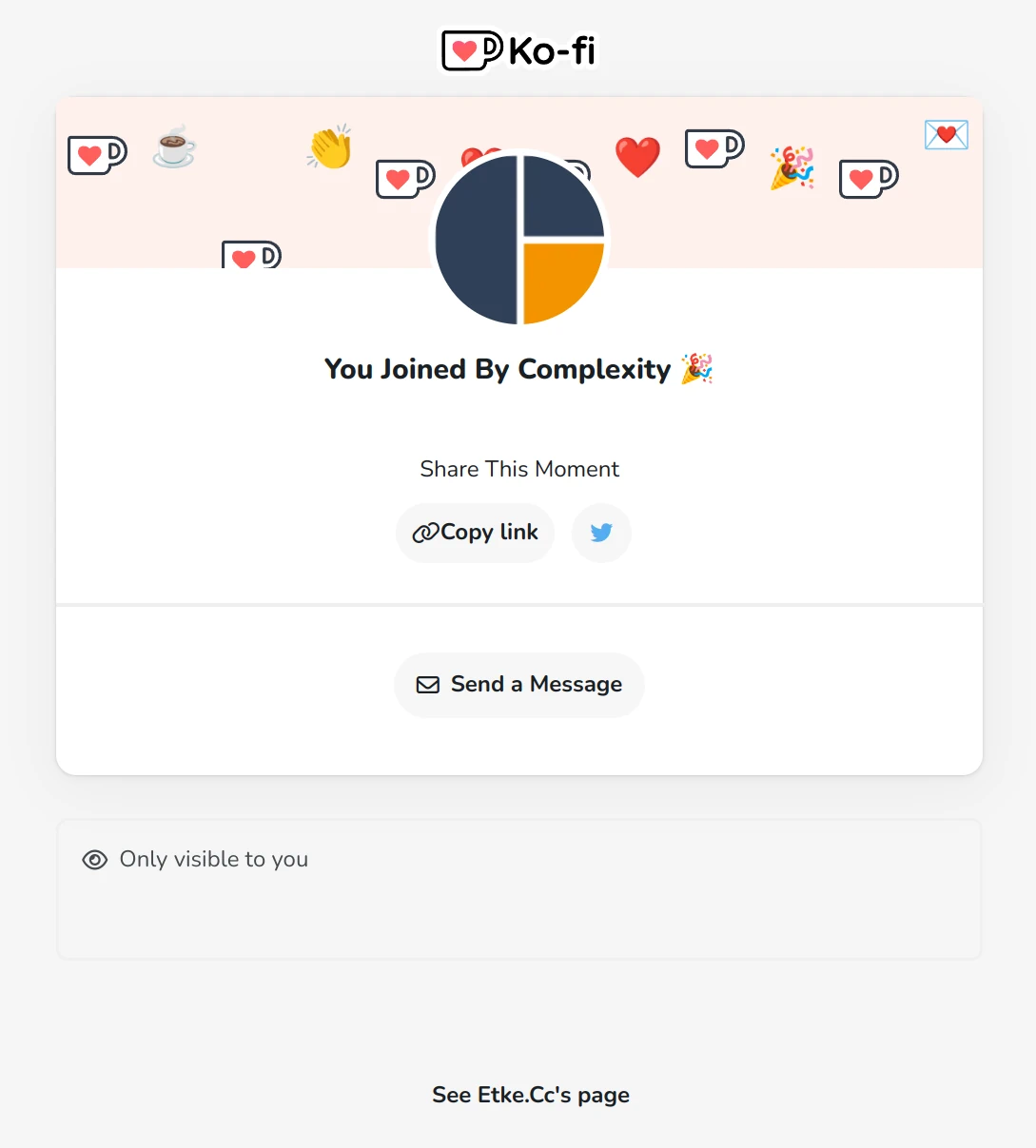
Congratulations! You’re all set 🎉
We’ll receive a notification from Ko-Fi and will begin preparing your Matrix server. Keep an eye on your email for updates.
If you have created a Ko-Fi account, you can also review your account’s Payments and Orders page at Ko-Fi. Additionally, you can view your payment history and download invoices from the Billing page in Ketesa.
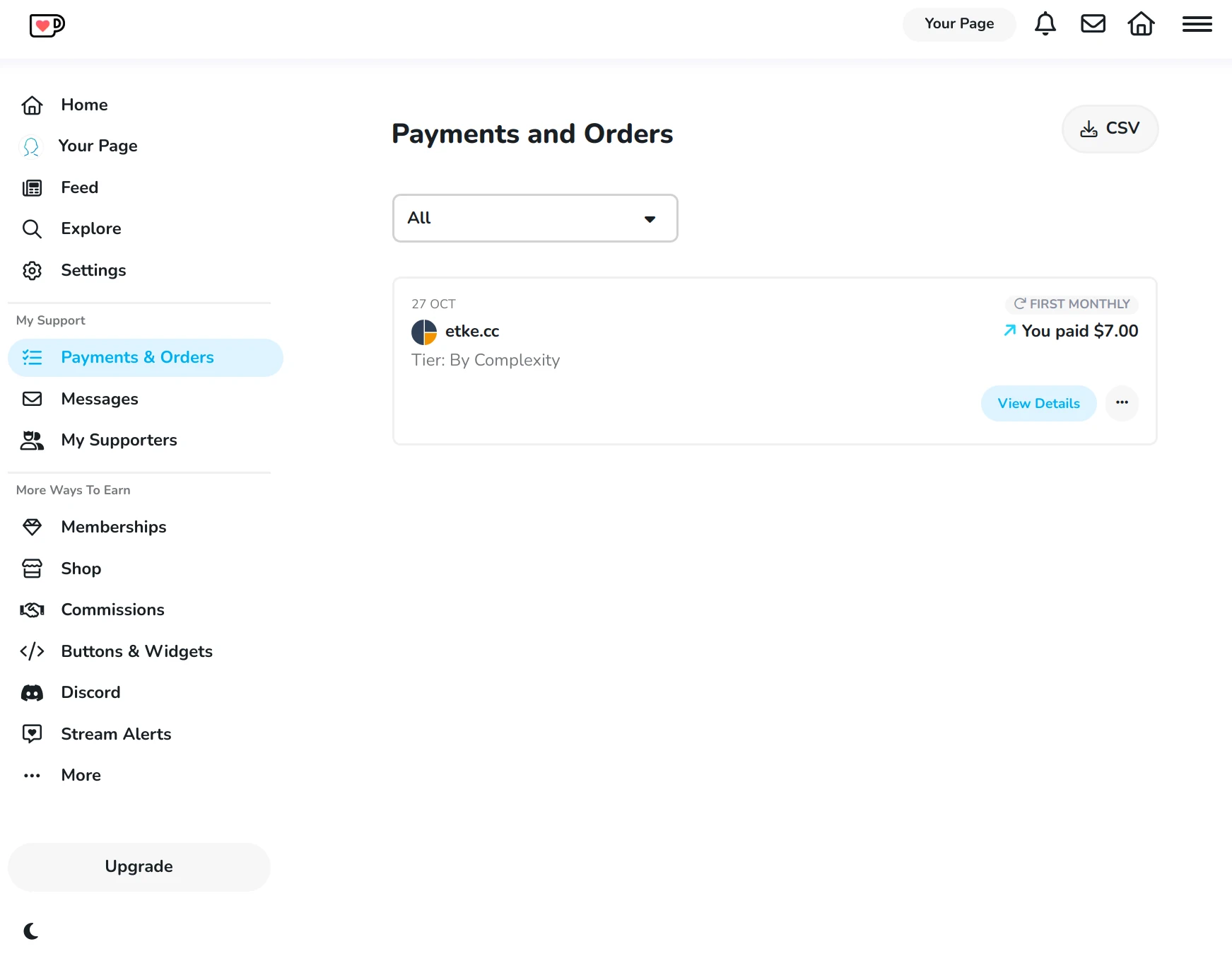
How to Update Your Subscription Price
If you subsequently order new services from us or cancel some services we were providing until now, you may need to adjust the price of your subscription to align it with the new cost.
You will need your Ko-Fi account to manage your etke.cc subscription on the Ko-Fi platform. If you have not created a Ko-Fi account early on, you can create one now by going to Ko-Fi’s signup page. When signing up, make sure to use the same email address that you used for your already-existing subscription. This way, Ko-Fi will automatically attribute this subscription to your new account.
To update your subscription’s price, follow the steps below:
Log in to your Ko-Fi account
Visit your Ko-Fi account page
Locate your etke.cc subscription in the list.
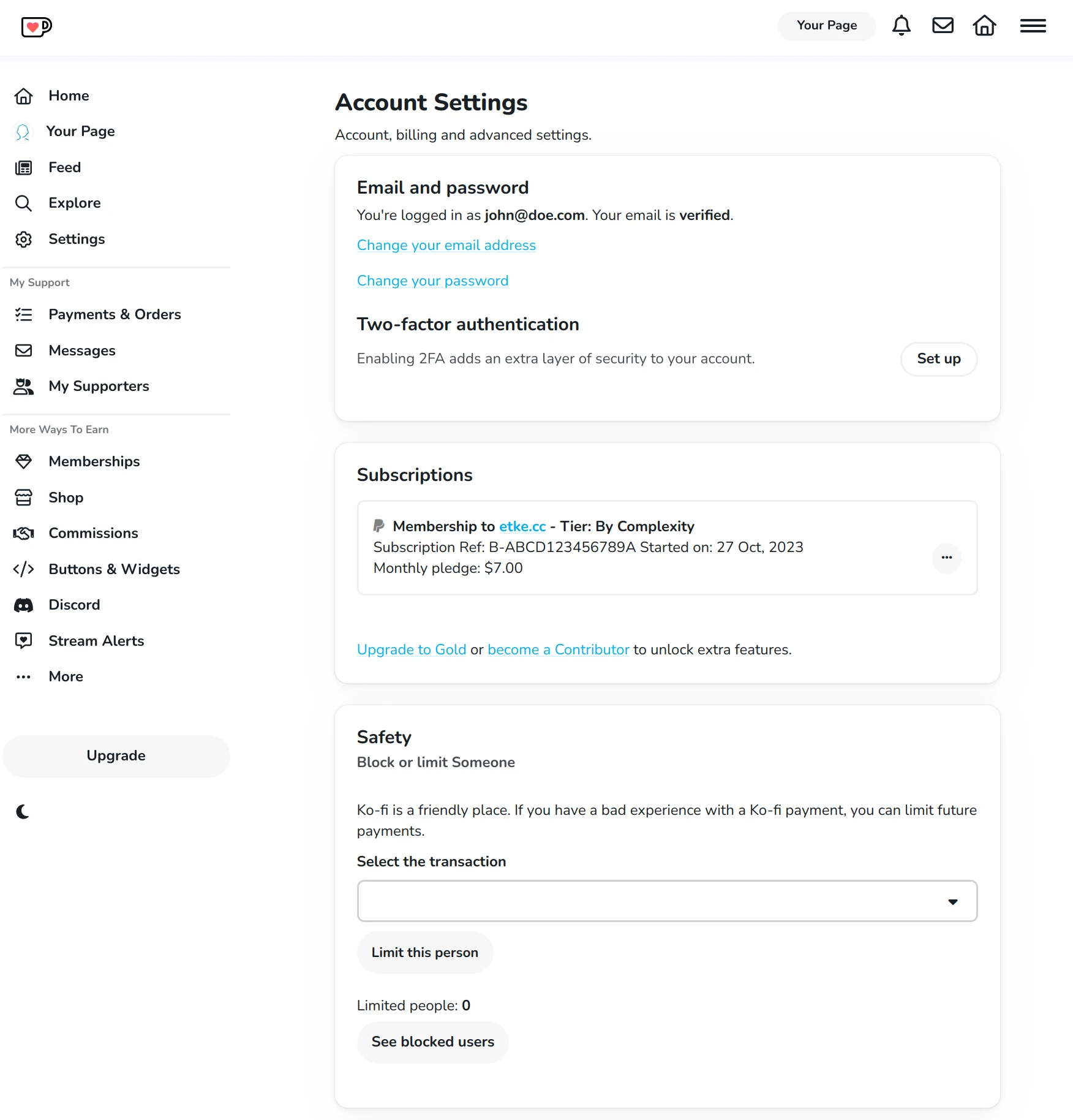
Click on the three-dots dropdown menu and press the Update Pledge button
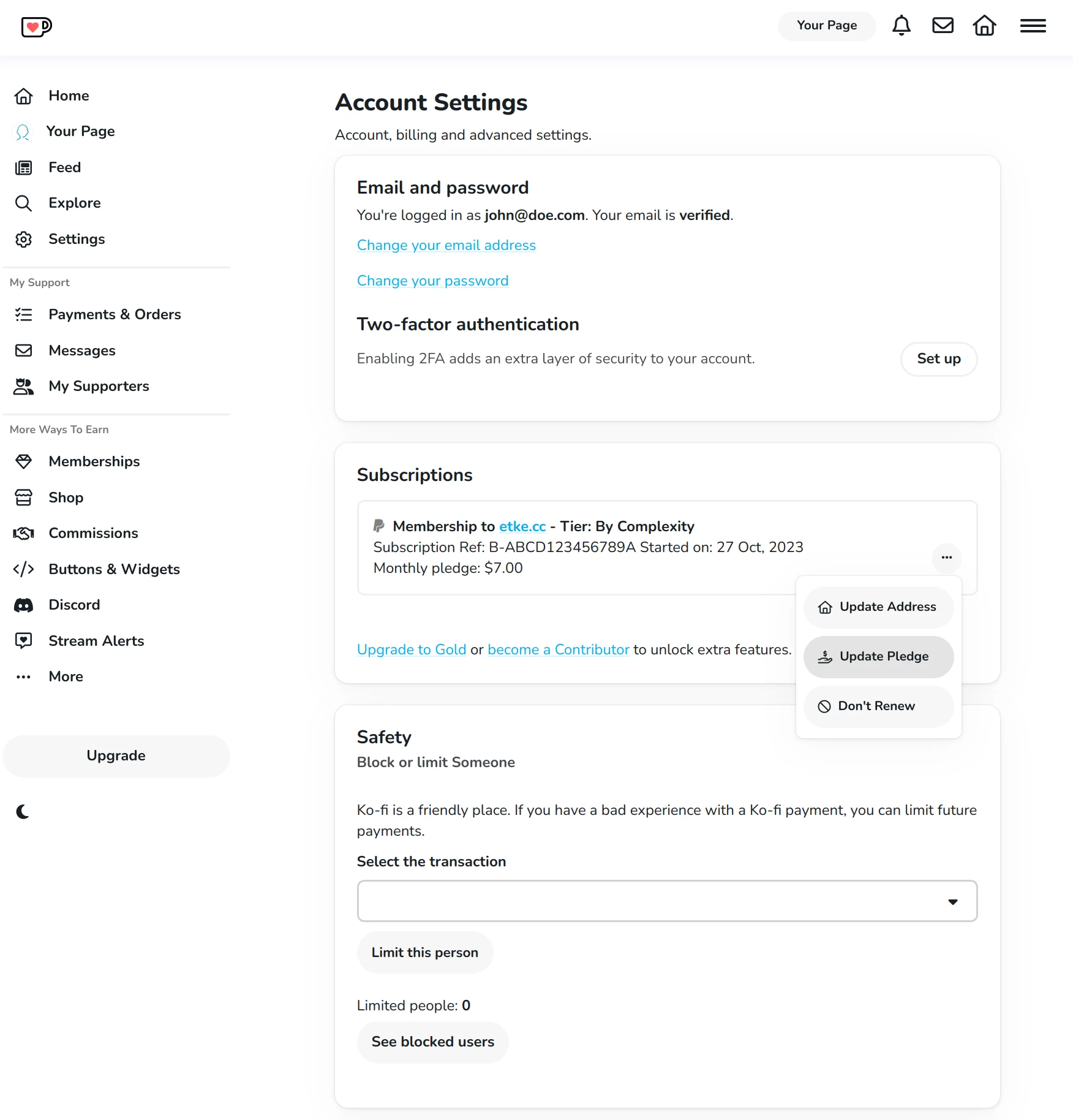
Enter the new, recalculated price into the input field and click Update
Confirm the changes by clicking Yes, update pledge
You’ll be charged using the new subscription price during the next payment period (e.g. next month), not immediately. To make up for the difference during the current payment period, make a one-time Ko-Fi donation with a custom price equal to the price difference between the new price and the old price. For example, if going from €10/mo subscription to a €25/mo subscription, make a one-time payment of €15.
Congratulations, you’ve successfully updated your subscription price! 🎉
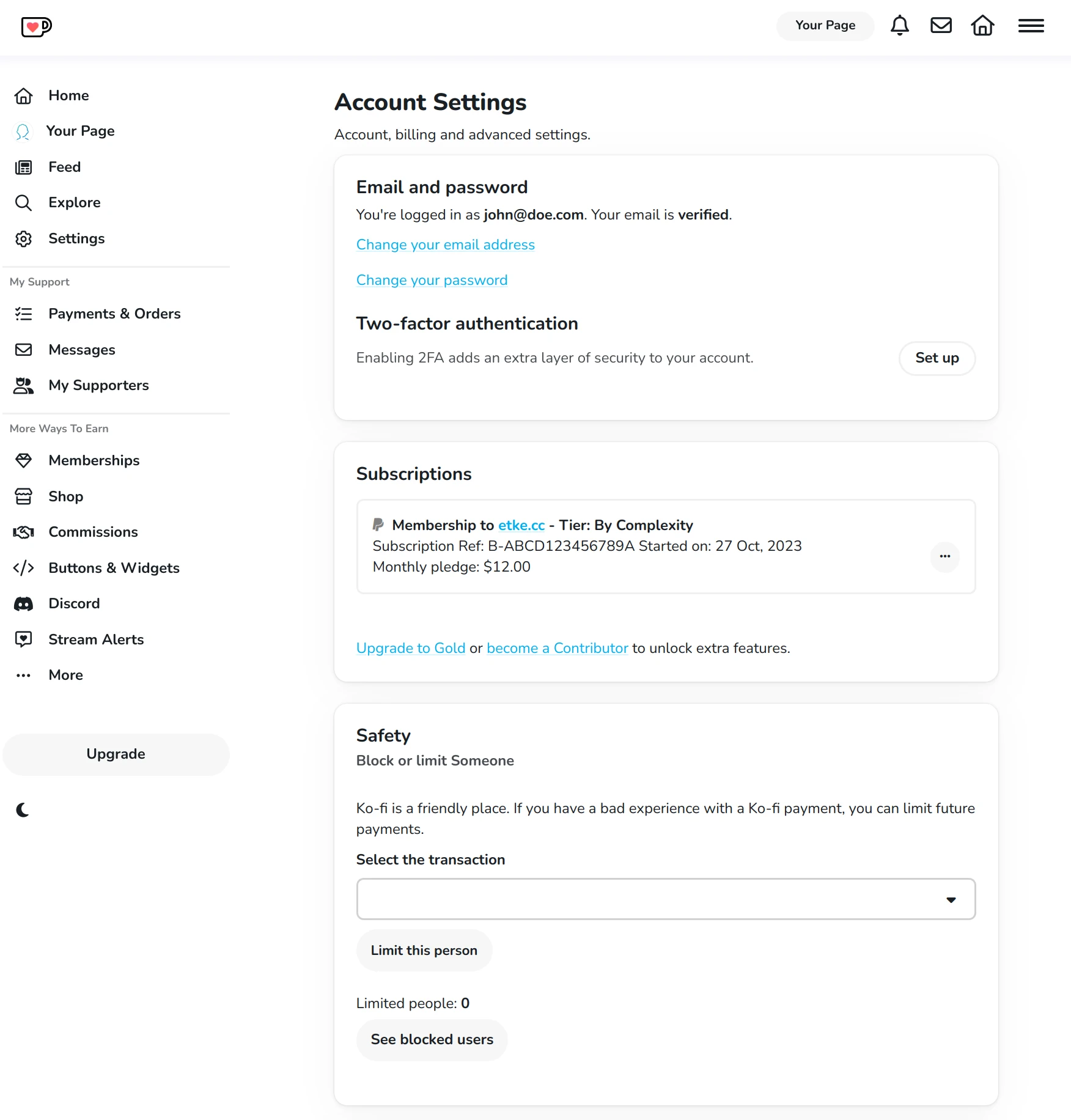
Your Ko-Fi account page should now reflect these changes:
How to Cancel Your Subscription
WARNING: by canceling your subscription, you will lose access to all services provided by etke.cc:
- (in case of hosting) your Matrix server will be erased, including all its data and backups, there won’t be an option to restore it later
- no updates, security fixes, housekeeping, or support will be provided, etc.
- no monitoring, private docker registry, self-service bot, etc.
- even no exclusive admin panel features will be available
If, for any reason, you don’t wish to continue with your subscription, you can cancel it.
You will need a Ko-Fi account to manage your etke.cc subscription on the Ko-Fi platform. If you haven’t created a Ko-Fi account early on, you can create one now by going to Ko-Fi’s signup page. When signing up, make sure to use the same email address that you used for your already-existing subscription. This way, Ko-Fi will automatically attribute this subscription to your new account.
To cancel your subscription, follow the steps below:
Log in to your Ko-Fi account
Visit your Ko-Fi account page
Locate your etke.cc subscription in the list.
Click on the three-dots dropdown menu and press the Don’t Renew button.
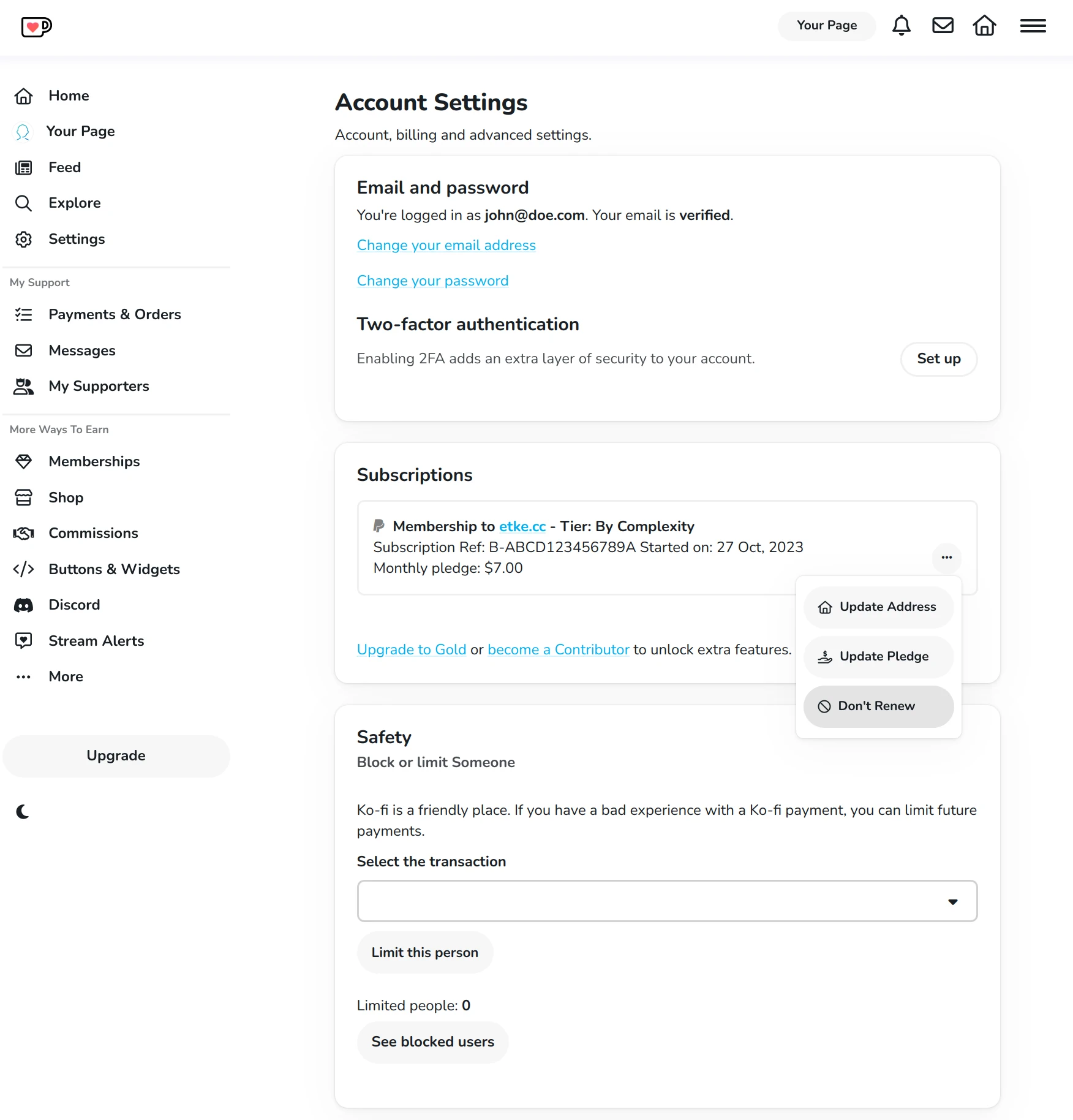
Confirm the changes by clicking Yes, cancel it
Your canceled subscription will now appear on your Ko-Fi account page.
Note: Depending on the automatic renewal status and the number of retry attempts, the canceled subscription may not be immediately visible or may appear differently.
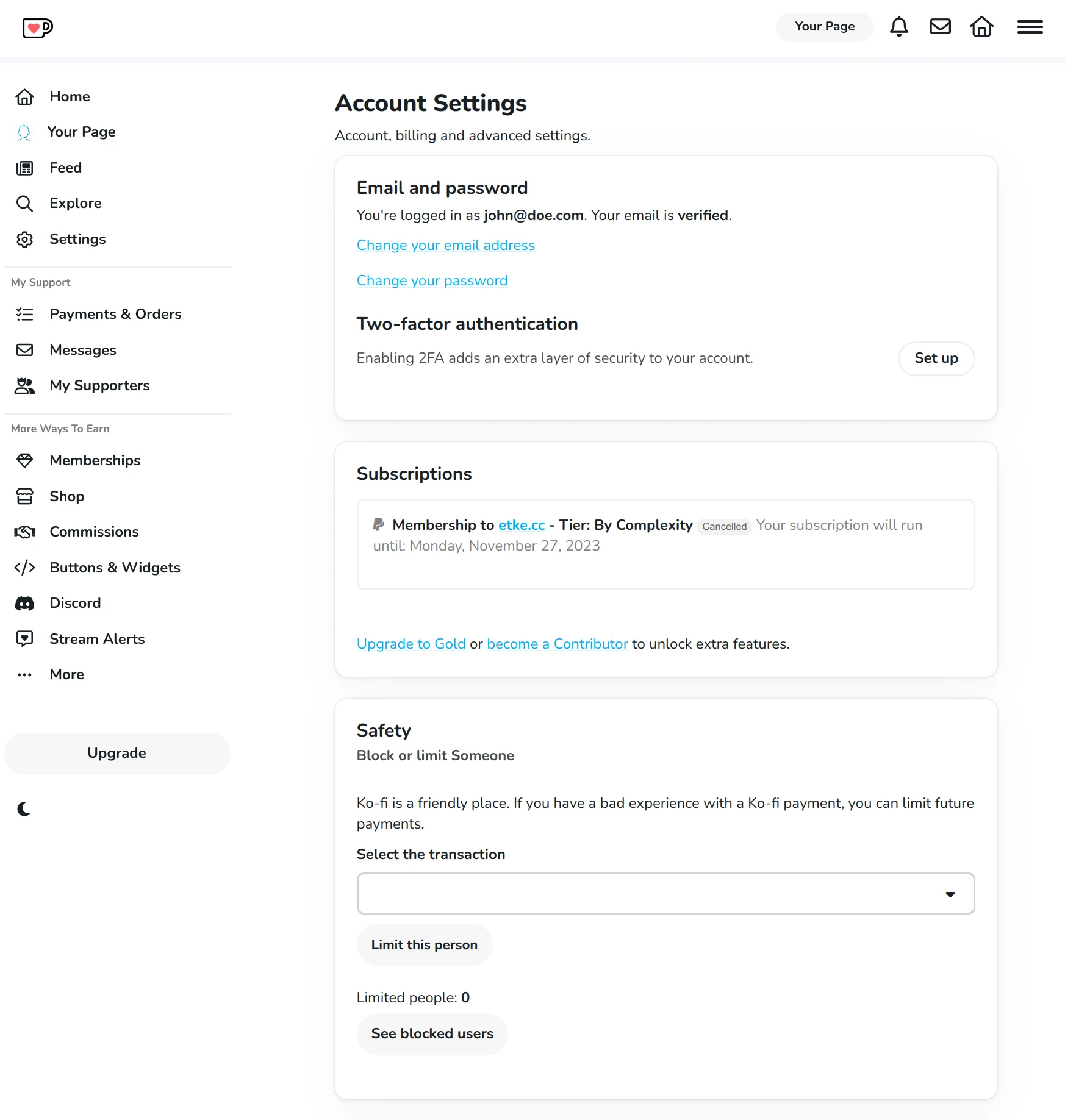
At this point, you are no longer an etke.cc subscriber. Nevertheless, we’ll continue providing the service you were paying for until the end period you paid for. If you wish for us to stop providing the service immediately, please contact us.
How to Fix a Failing Subscription
If, for any reason, your subscription fails to renew automatically, you may need to resubscribe manually.
To resubscribe, follow the steps below:
- Cancel your existing subscription. See the How to Cancel Your Subscription guide
- Subscribe again. See the How to Become a Subscriber guide
How to get invoices for your payments
If you need to obtain invoices for your payments, you can do so through the Billing page in Ketesa. This page provides access to all your payment history and allows you to download invoices for each transaction.
We deploy admin panel on https://matrix.your-server.com/admin (replace your-server.com with your actual server domain).
To access the admin panel, you need to have an admin user account on your Matrix server.
How to add company details to the invoices
You can add your company details to the future invoices directly in your Ketesa admin panel on the Billing page.
The changes will be applied to all future invoices, but not to the past ones.