 etke.cc
Komai is our own desktop Matrix client. We host Matrix servers for a living, so we spend our days watching what chat apps do to the people using them. We built the one we wanted to use: native, fast, and honest about what it can’t do yet.
It’s built in Rust, C++, and QML, no Electron, so it opens fast and your laptop fan stays quiet. It’s free software (GPL-3.0-or-later), no CLA, no contributor gatekeeping, and it’s the client we use ourselves every day.
Why we built our own
Almost a decade ago we rewrote how Matrix self-hosting works with matrix-docker-ansible-deploy. That solved servers. It never solved the client problem: people kept bouncing off the apps, and a chat app that loses people is worse than no chat app.
So we forked nheko, the closest thing to a native client worth building on, and started patching. A hundred patches later we stopped pretending and made it ours. We tore out the old crypto libraries and rebuilt the core on the Rust matrix-sdk, because that’s where the whole ecosystem is heading. The full story is on our blog.
Many of your apps are secretly Chromium. Komai isn’t. That’s the whole pitch in one line.
The features the others won’t touch
Most Matrix clients ship the same table stakes and call it done. Komai keeps going. These are the things we built because nobody else would.
Room tabs, with pinning
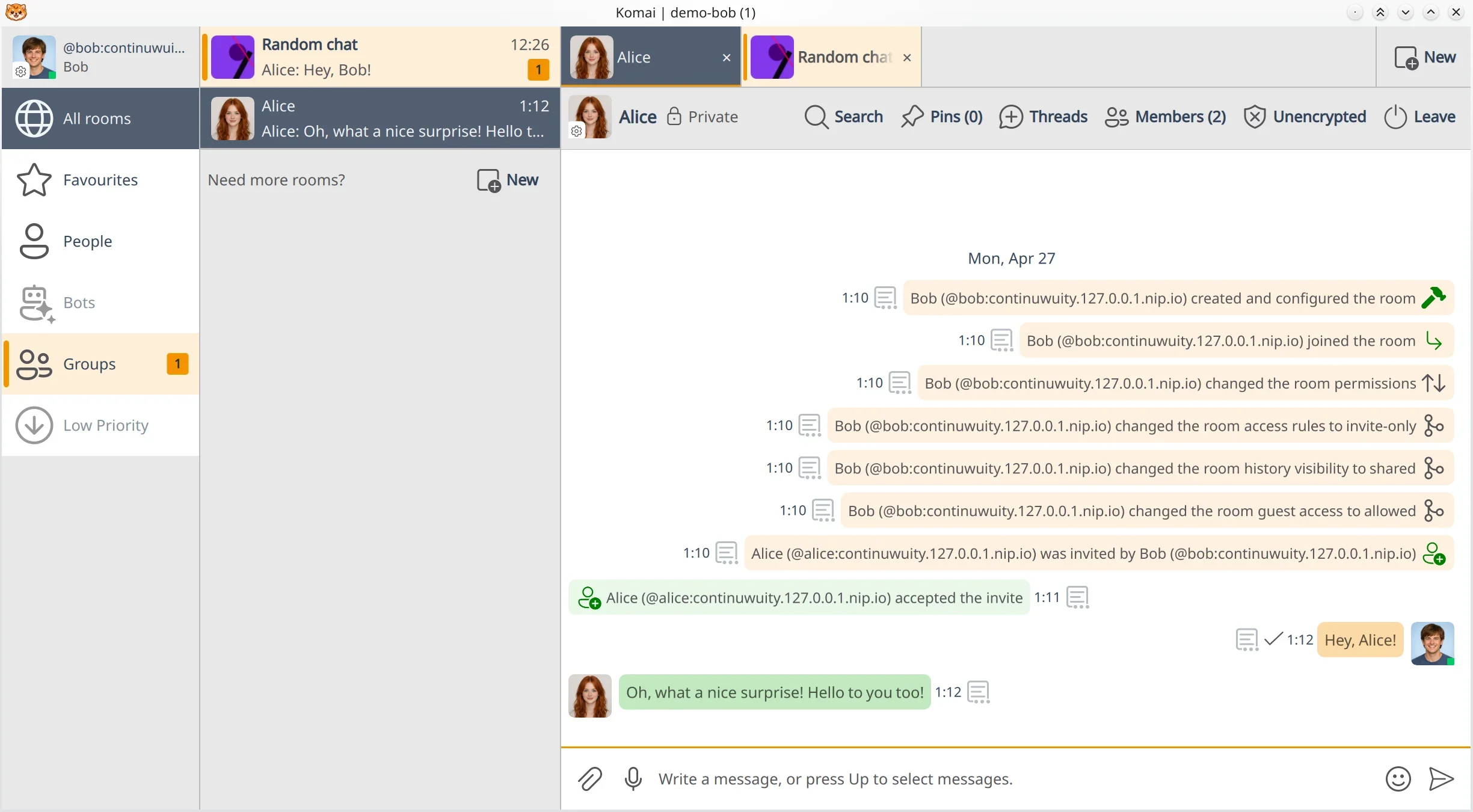
Most chat apps give you one conversation at a time and make you dig through a room list. Komai has browser-style tabs across the top: open the rooms you live in, pin the ones that matter, and they’re right where you left them after a restart. Almost no other Matrix client does this, and it’s the first thing you miss when you switch back.

Selecting messages like files
Drag across a run of messages, Ctrl-click a few, or grab them from the keyboard, then copy, reply, forward, or delete the lot in one move. The clean way to tidy a channel or lift a stack of quotes from a busy room, without death by right-click.

Automations for the rest of your machine
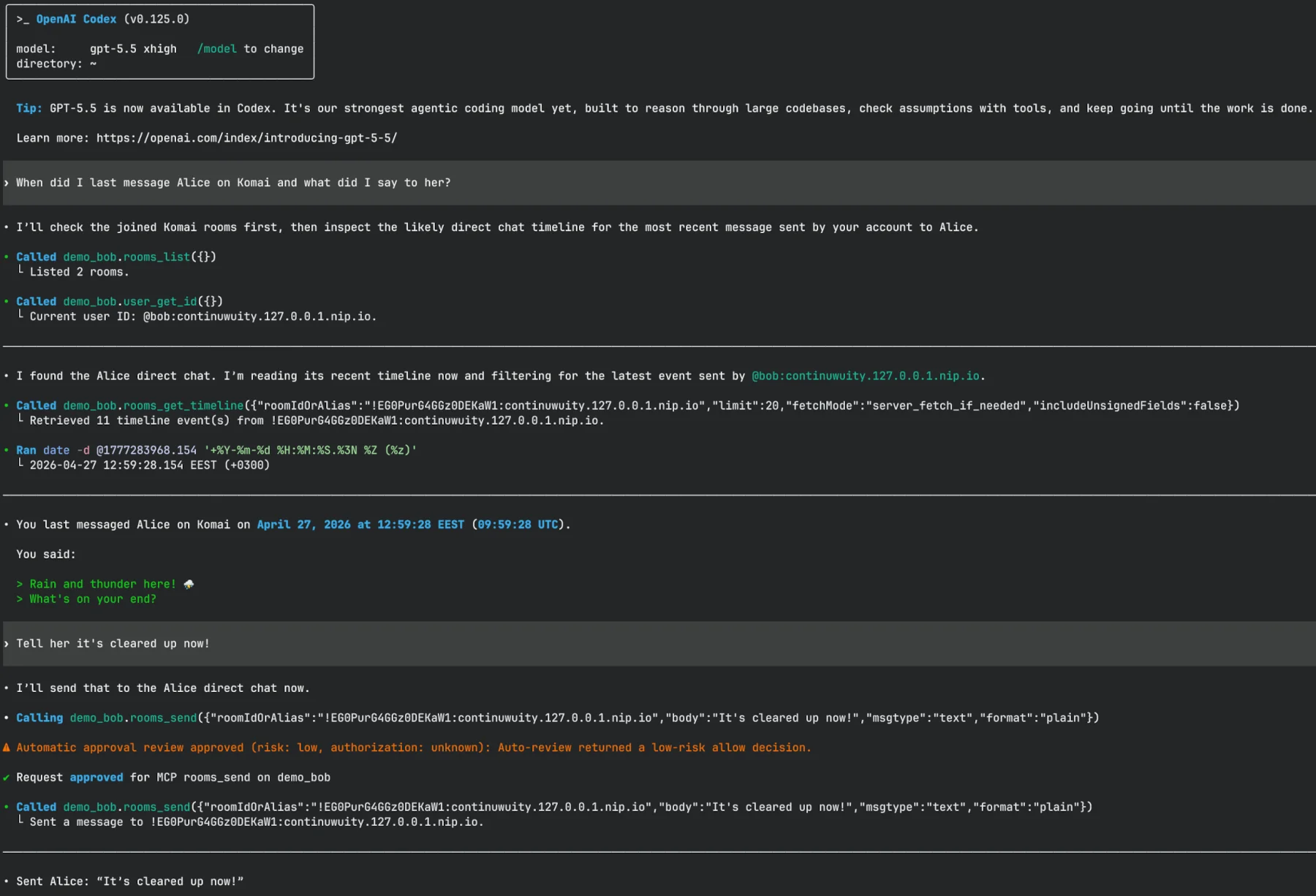
Komai speaks MCP, ships CLI commands, and answers on D-Bus, so scripts and other programs on your machine can read and send messages through it. That’s a real script in the screenshot, posting into a room over the API.
Calls, and rooms worth joining
Voice and video, built in
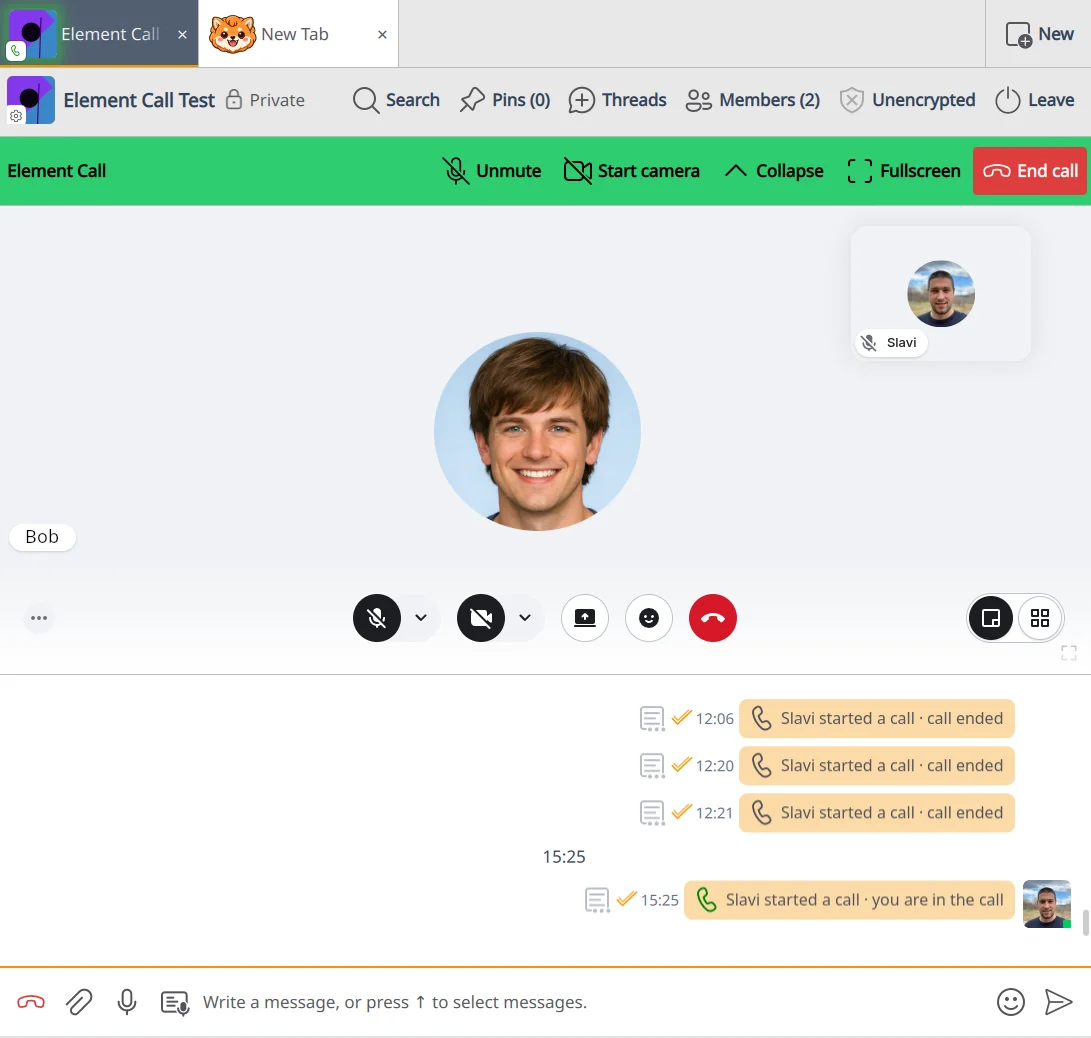
Element Call is wired right into Komai: end-to-end encrypted MatrixRTC calls, one-on-one or a whole room piling in, with no separate app to launch. The older legacy 1:1 calls from nheko are still there, off by default. On Windows and macOS the build ships Element Call but not that legacy stack.
Calls need a server that supports them. Your homeserver has to run a MatrixRTC backend (LiveKit plus lk-jwt-service), or the call screen loads and never connects. On an etke.cc server, Matrix RTC is an add-on, and once it’s on, calls work in any room with nothing to enable.
A room directory that finds your people
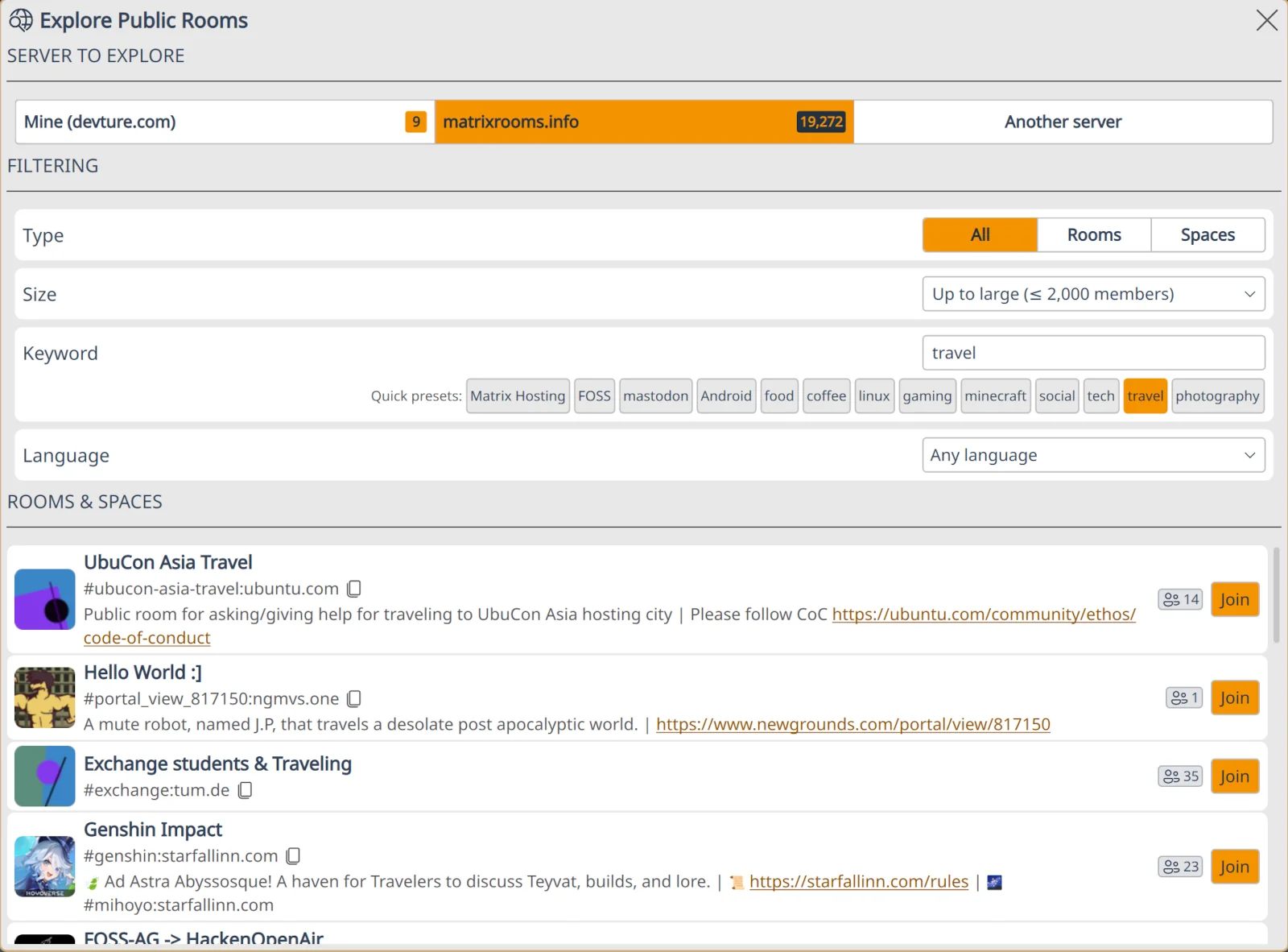
The room directory searches the wider Matrix network through matrixrooms.info, the public room index we build and run. Filter by name, topic, or how large a room is, and find your people instead of trading room addresses in a DM.
Every day, done properly
The things you expect from a Matrix client, done properly.
- End-to-end encryption. Encrypted messaging on the Rust matrix-sdk. Device verification and key backup are built in.
- Threads and forwarding. Replies, Discord-style threads, and forwarding a message on to another room.
- Media viewer. View images and play audio and video in the app, without bouncing out to another window.
- Voice transcription. Long-press Space to dictate straight into the composer, via any OpenAI-compatible backend.
- Offline spellcheck. Multi-language checking that runs on your machine and picks up your system dictionaries.
- Custom emoji. Your own emoji, with CLDR keyword search, so typing
:whiskeyfinds 🥃. - Metadata stripping. EXIF, IPTC, and XMP data is stripped from images before upload, on by default.
- Application profiles. Keep separate accounts in separate profiles and switch between them cleanly.
- Message effects. Little touches like rain and thunder over a message when the moment calls for it.
- Themes to spare. 10+ built-in themes tuned for WCAG AA contrast, plus themes you write yourself.
- 30+ languages. Komai probably speaks your language already.
- Keyboard and Vim. A keyboard-driven main workflow, with shortcuts in both plain and Vim style.
Download
Free, open source, and always the current build. Pick your platform. Desktop only today: Linux, macOS, and Windows. No mobile build, and we’re not going to pretend the roadmap is the present.
Linux
x86_64 and arm64.
- AppImage, one portable file that runs just about anywhere
- Flatpak, sandboxed, straight from the release page
- Arch:
komai-bin(prebuilt) orkomai(from source) on the AUR
The AppImage needs FUSE 2. If it refuses to start, that’s usually the missing piece: sudo apt install libfuse2 on Debian or Ubuntu, fuse2 on Arch.
Windows
x64, Windows 10 22H2+.
- Portable ZIP, no installer. Extract anywhere and run
komai.exe
Not code-signed yet, so Windows throws a SmartScreen warning on first launch. Click More info, then Run anyway, and you’re in. No auto-update yet, so each new version is a fresh download.
macOS
Apple Silicon, macOS 13.3+.
- DMG for Apple Silicon Macs. Drag
komai.appinto Applications.
Not signed or notarized yet, so Gatekeeper gets nervous on first launch. On macOS 13 and 14, right-click the app and hit Open. On 15 and up, open it once, then approve it under System Settings, Privacy & Security, Open Anyway. Apple Silicon only for now, and no auto-update yet either.
Want an older version, a checksum to verify against, or a URL to pin in your own scripts? It’s all on the GitHub releases page. The dedicated landing page lives at komai.chat.
Support and links
- 💬 Matrix room: #komai:etke.cc
- 🐙 Source: github.com/etkecc/komai
- 📖 Docs: the user guide
Komai is built by the etke.cc team, on the matrix-rust-sdk, and it began as a fork of nheko by the Nheko-Reborn team. Thanks, folks. The room search inside it runs on matrixrooms.info, the Matrix room index we also maintain.
Like the client but would rather not babysit a homeserver? We run managed Matrix hosting, order one and Komai will have a server to call home. Compare Komai against the other clients we recommend on the clients page.